
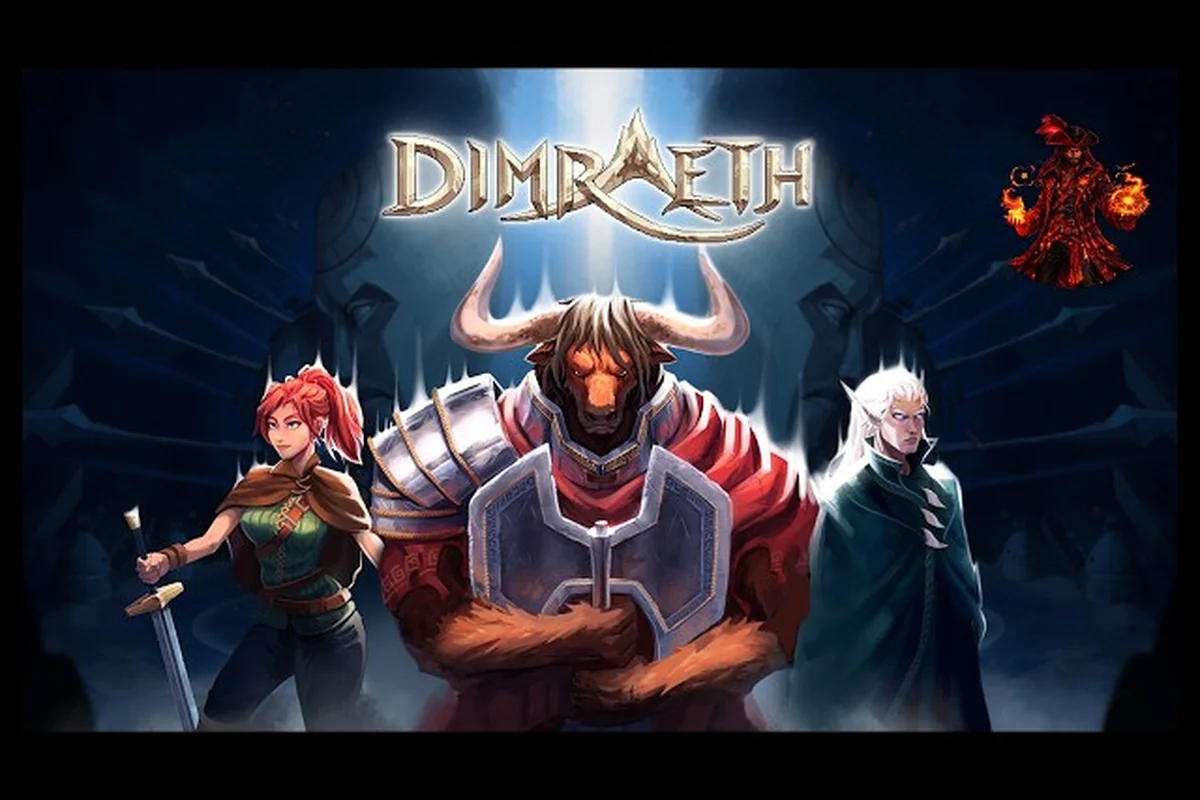
Dimraeth multiplayer is built around seamless 1-8 player co-op where your personal progression travels with you, while each host world keeps its own story, allies, and buildings. According to the Dimraeth on Steam store page, that split is the single most important detail to understand before queuing up with friends. Getting it wrong means wasted hours farming the wrong gear, while getting it right lets you jump between friends' worlds without losing a single level, spell, or inventory slot.
This dimraeth multiplayer guide walks you through exactly how the shared world and personal progression systems interact, how the drop-in drop-out co-op loop works in practice, and how to structure a party so your team scales cleanly into the late game. If you have ever asked how co-op works in Dimraeth, or wondered whether your character carries over when you join a friend's world, the next sections will give you the answer in concrete terms.
How Dimraeth Co-op Works: The Shared World and Personal Progression Split
The foundation of every multiplayer session in Dimraeth is a deliberate split between two progression systems. According to the official store page, personal progression (level, equipment, inventory, spells) always travels with the player, while story progression, recruited allies, and built structures stay locked to the host's world. This means your Minotaur Mage keeps his Earthshaker archetype and his crafted staff whether he is in your world or your friend's, but the quest flags, unlocked vendors, and the homestead your group built last weekend do not.
This dual-track design solves a problem that plagues most online RPGs. Friends in different time zones can each host a world, push their own story at their own pace, and still freely hop into one another for dungeons, world bosses, or casual exploration without losing anything meaningful. The host's world becomes a sandbox the group can experiment in, while the guest's personal sheet remains a permanent record of their own power curve.
The official Dimraeth website describes the game as a 1-8 player co-op fantasy RPG where you forge power, build home, and fight for a dying world. That phrasing matters for multiplayer: "forge power" and "build home" are literally handled by two different systems. Power follows the player; home follows the host.
What Travels With You (Personal Progression)
Your character level is stored on your account, not on the world. Every kill, every quest completion, every passive node unlocked stays attached to your character record. This is true even if you join a friend's world that is two acts ahead of your own — you do not get auto-leveled up to match the host, nor do you get artificially scaled down. You bring the level you actually earned.
Your equipment and inventory travel with you the same way. A rare staff you crafted in your own world is on your back the moment you load into your friend's session. The same is true for consumables, crafting mats, currency, and the key items tied to your class questlines. The Steam description spells this out: your spells, your gear, and your inventory are all on the character, not on the world.
What does NOT travel are things the host has personally progressed: the act story flags your friend triggered, the allies they recruited into their cause, and the buildings constructed in their home base. Those reset the second you return to your own world, and they reset the moment you host a session for someone else.
What Stays With the Host (World Progression)
When you join a friend's Dimraeth world, you are entering their campaign. The story choices they have made are the only ones that matter. If your friend has unlocked the Crystal Vale questline by speaking to a specific NPC, that NPC will offer you the quest when you load in, but your own world's version of that NPC is still in its pre-quest state until you personally trigger it.
The same is true of allies. Each world has its own roster of recruitable companions, and the order in which you unlock them depends on the host's story progress. A guest who is three acts behind will not see late-game allies, while a guest who is three acts ahead will see the full roster, but cannot bring those allies back to their home world by visiting.
Buildings and home base construction are also strictly host-side. The homestead your party built in your friend's world — the smithy, the arcane study, the gardens — exists only in that world. When the session ends or the host migrates, those structures stay behind. This is the same reason that some players treat one friend's world as the "main campaign" world and only visit others for specific farming runs or boss kills.
Portable Progression and Shared World Feel
The shared world model is what makes Dimraeth's drop-in drop-out co-op feel frictionless in practice. Because personal progression is portable, there is no penalty for jumping between friends' worlds, no "you must host to keep your loot" pressure, and no awkward case where one player is significantly weaker than the others just because they were late to the party. The host's world provides context; the guest's character provides power.
This is also why dimraeth cross-world progression is a deliberate design pillar rather than a workaround. The developers could have made the world follow the player and called it a day; instead, they split the two and gave players the freedom to treat personal and world progression as separate axes to optimize independently.
Drop-In Drop-Out Co-op: How the Session Loop Functions
Drop-in drop-out co-op in Dimraeth is a soft session model, not a hard lobby. There is no fixed party size you must maintain for a session to "count." If you start a 1-8 player co-op world and three friends have to leave, the session keeps going with whoever is still online. New players can join at almost any time, including mid-dungeon, mid-boss, or mid-cutscene.
| Scenario | Player Count in Session | What Persists on Host's World | What the Joining Player Inherits |
|---|---|---|---|
| Host opens world, 0 friends online | 1 (host only) | World seed, ally roster, home base, story flags | N/A — host's own personal progression only |
| Mid-dungeon, 1 friend disconnects | 2 → 1 | All story flags, boss defeats, resource ticks earned before disconnect | Remaining player keeps full world state; leaver's personal level/gear/inventory/spells stay on their own save |
| 4-player co-op, mid-boss, 5th friend drops in | 4 → 5 | Boss HP %, aggro table, and encounter state stay continuous | New player spawns at nearest safe zone, then warps in; receives all story flags, ally roster, and home base progression the host has already earned |
| Late-game ally joins a friend's Act 3 save | 1 → 2 | Act 3 dungeon state, recruited NPCs, built structures | Joiner inherits every story flag, boss defeat, and resource tick the host has accumulated, with no desync |
| Public session used as a community hub | Rotates 1–8 across an evening | Shared world seed, ally roster, home base state untouched by who is online | Each rotating guest reads/writes the same shared progression flags for that session |
The official store page explicitly highlights seamless 1-8 player co-op as a flagship feature of Dimraeth, and in practice the dimraeth how co-op works loop functions as a session-state model rather than a matchmaking queue: the host's world instance persists across joiners and leavers, with each guest reading and writing to the same shared world seed, ally roster, and home base progression flags — meaning a player who joins late inherits every story flag, boss defeat, and resource tick the host has already earned, which is why dropping in at a different point in a friend's save never desyncs the dungeon state.
-
The host opens their world from the main menu and either invites friends directly or sets the session to public.
-
Guests join from their friends list or via the public session browser. There is no separate "matchmaking" tier — the same lobby serves both.
-
During play, players can leave at any time without breaking the host's session. The host's world keeps its story flags, ally roster, and home base state untouched.
-
New players can join the host mid-fight. Dimraeth handles the spawn-in gracefully: the joining player is placed at the nearest safe zone, and the existing party continues the encounter.
The practical implication is that you can run Dimraeth like a "drop-in MMO-lite" if you want. Some players keep a dedicated world hosted on a powerful PC and treat it as a community hub, with different groups rotating through it across the evening. Others keep it strictly to a four-person friends list and only invite when everyone is online.
Session Roles: Host, Guests, and What Each Can Do
The host has a few special privileges that guests do not. The host controls session privacy, world difficulty (where the system allows it), and the kick/ban list for that world. The host can also save and load the world at any time. According to the official Discord, the dimraeth official Discord server is the main community hub, and players have reported that the host is the only role with full save authority.
Guests can do almost everything else. They can fight, loot, quest, build (in the host's home base only), trade (subject to host-set rules), and trigger story events that progress the host's world. They cannot, however, change the host's world settings or wipe the host's save.
What Happens When the Host Leaves
A common question in the community is: what happens if the host disconnects mid-session? According to player reports on the official Discord, the session usually migrates the host role to the longest-tenured guest, though behavior can vary by patch. If you are the only player in the world, the world is automatically saved to the host's local profile and re-loads the next time you start the game.
Party Composition and Builds for 1-8 Player Co-op
Dimraeth supports 1-8 players in a single co-op session, which is a wide range. A two-player party needs a different setup than a six- or eight-player raid. The game handles scaling through the archetype tree and attribute scaling systems, which means each character builds toward a specific role identity that becomes more defined (and more valuable) as the party grows.
The official store page gives a concrete example: a Minotaur Mage (the Earthshaker archetype) spreading fire to proc Burning passives, coordinated with a Human Mage (the Elemental Ranger archetype) turning fire into single-target nukes. This is exactly the kind of synergy the co-op system is designed around — your build is not just for you, it is also for the other seven players in the lobby.
Recommended Compositions by Party Size
| Party Size | Recommended Role Mix | Why It Works |
|---|---|---|
| 1-2 players | 1 tank, 1 ranged DPS | Survivable, simple, minimal cooldown overlap |
| 3-4 players | 1 tank, 1 healer/support, 1-2 DPS | Standard "trinity plus flex" composition |
| 5-6 players | 2 tanks, 1 healer, 2 DPS, 1 utility/crowd-control | Adds a second frontline and a dedicated CC specialist |
| 7-8 players | 2 tanks, 2 healers, 3 DPS, 1 flex | Brings redundant roles for world boss and dungeon hard modes |
These compositions are not enforced by the game. Dimraeth does not lock classes or roles to a slot. They are starting points, not hard rules, and the deeper you go into the archetype trees, the more niche builds become viable.
Build Synergies Worth Knowing
A few high-value synergies to keep in mind when forming a party: in Dimraeth co-op, the real damage spike comes from layered class combos rather than raw gear score, so pairing two Mages with one Brawler tank typically outperforms three mixed DPS in 4-player lobbies, while swapping in a Minotaur Warrior as a second frontliner dramatically improves add control on the Sunken Vault boss and similar multi-mob encounters.
-
Burn then nuke: a fire-focused Mage applies Burning, and a second Mage with the right passive converts Burning damage into a single-target nuke. This is the example called out on the store page.
-
Tank + off-tank: a Brawler with grappling can pull a single boss, while a second Brawler or a Minotaur Warrior holds adds. Two dedicated frontliners are much more valuable than one in a 6+ player lobby.
-
Crowd control chains: a Mage with an ice or lightning tree can freeze or shock a group, and a Brawler's grappling hooks can reposition frozen targets. Coordination is everything here, and party chat becomes the real weapon.
If you want a deeper dive into team composition and how to build a party that actually scales into the late game, the dimraeth co-op party guide covers party builds and lobby setup in more detail.
Cross-World Progression and World Hosting Strategy
Cross-world progression is the most misunderstood part of Dimraeth's co-op system, mostly because it sounds like it should mean "everything carries over everywhere." It does not. The cross-world piece refers to your character's personal progression (level, gear, inventory, spells) traveling with you as you move between hosts. It does not mean the host's world state follows you home.
This distinction shapes every decision you make about world hosting. If you want a "main campaign" feel, you pick one friend's world to be the canonical world and everyone treats that as the group's shared story. The host becomes the de facto campaign lead. If you want a more freeform setup, every player hosts their own world for their own story, and you only join each other for dungeons, world bosses, and farming.
Picking the Right World to Call Home
The dimraeth shared world guide approach is to pick a host whose schedule and playstyle match the group's, since drop-in drop-out co-op only works when the host is reachable. Before committing, ask how often the candidate hosts weekday evenings, whether they run world boss timers, and how they handle cross-world progression — for example, a host who only logs in for 30 minutes on weekends is a poor anchor for a guild pushing weekly raid milestones, even if their hardware can handle a full eight-player instance.
-
Time zone and availability: the host needs to be online roughly as often as the rest of the group. If the host is offline, the rest of the party cannot progress that world.
-
Hardware: the host's machine is the one running the simulation, including enemy AI, world events, and physics. A 1-8 player session with all eight players fighting a world boss is heavier than a solo session, so the host's PC matters.
-
Personal preference: a host who likes to quest slowly and explore every corner is a better fit for a casual group than a host who rushes main story. Match the host to the group's pace, not the other way around.
For a closer look at how the host's world state works and what the host controls, the dimraeth co-op world hosting article breaks down the hosting side in detail — including how the host's machine owns the authoritative simulation, how world boss timers and enemy AI are pinned to the host's local time, and what happens to drop-in drop-out sessions when the host goes offline mid-raid.
How to Avoid Losing Progress
The two most common mistakes players make in Dimraeth's cross-world setup both stem from misunderstanding how the game splits personal progression (stored on each player's profile) from shared world progression (stored only on the host's machine). The first error is treating story progress as something that travels with the character — it does not, because the story flag database is bound to the world save on the host. The second error is assuming the world save is redundant or auto-backed up somewhere safe, when in reality the host's local profile carries the full authority for every quest completion, NPC state, dungeon unlock, and boss defeat for that world instance.
-
Assuming story progress carries over: it does not. If you spend 20 hours pushing your friend's story, you still have to push your own story from zero.
-
Forgetting where the world save lives: the world save is on the host's machine. If the host's profile is wiped or their local files are corrupted, the world is gone. Back up your world saves.
Both are easy to avoid once you know the rule, but they catch a lot of first-time players off guard. Treat your character's personal progression as your permanent record and treat world progression as a shared, host-side resource. With that mental model, the dimraeth drop-in drop-out co-op loop becomes a very comfortable way to play.
Tips for Playing Dimraeth With Friends: Practical Setup and Etiquette
Once you understand how the system works, the actual experience of dimraeth play with friends comes down to a few practical habits. Most of these are picked up from community testing on the official Discord, where players share setups, troubleshooting notes, and etiquette.
Pre-Session Checklist
| Step | What to Do | Why It Matters |
|---|---|---|
| 1 | Confirm the host's world is on the difficulty you want | Difficulty affects loot and enemy density, not just damage |
| 2 | Make sure all players have the latest patch installed | Version mismatches can block joining |
| 3 | Decide whether the session is invite-only or public | Public sessions are open to anyone using the session browser |
| 4 | Agree on a target: story push, dungeon run, world boss, or just exploration | Saves time once everyone is loaded in |
| 5 | Check that the host's machine can handle 1-8 players on the chosen content | Late-game dungeons with full parties are heavier than solo |
If you are new to the game itself and want a broader primer before diving into multiplayer, the dimraeth beginner guide covers the basics of how to play, including race and class selection. Worth reading it first because Dimraeth's class kits interact heavily with drop-in drop-out co-op synergies — for example, a support-specced Veilweaver scales much more effectively in a 4-player dungeon than solo, so understanding your role's co-op scaling curve before you join your first session will save you from respeccing later. The beginner guide also clarifies which personal progression carries over across drop-in drop-out co-op sessions (crafting unlocks, quest flags) versus what stays host-locked (world-state events), which directly affects what you should and shouldn't expect to keep when jumping between friends' worlds.
Common Etiquette Tips From the Community
-
Loot rules: agree on loot rules up front. Free-for-all is fine for farming runs, but expected to be coordinated for story sessions.
-
Pacing: hosts should set the pace. Guests who run ahead and trigger cutscenes can lock out other players' dialogue or force fights the rest of the party is not ready for.
-
Communication: even with drop-in drop-out co-op, a quick Discord call or chat ping before joining a session avoids a lot of "wait, we're in the middle of a boss" moments.
-
World boss prep: if you are calling a 6-8 player world boss run, give the host 10-15 minutes to set up the arena and assign roles. According to the dimraeth world boss guide, a coordinated comp can cut a world boss clear time by 30-50% over a pick-up group.
Late-Game Considerations
In the late game, dimraeth personal progression is what lets you swap hosts freely. Your character's level and gear are the only things that really matter for power, which means the late-game loop is closer to a traditional MMO than to a single-player RPG. The dimraeth progression system guide covers the long-term progression curve and how immortality and other late-game systems interact with your character's personal sheet.
The early-access launch is set for September 15, 2026, and the Dimraeth Official Discord is where the developer (Mudtek) is gathering the bulk of the multiplayer feedback. If you are running into a co-op bug, that is the fastest place to get a response. Reddit has no official subreddit, so Discord is currently the only real community channel.
Frequently Asked Questions
Can I bring my character to a friend's world in Dimraeth?
Yes. Your level, gear, inventory, and spells all travel with you, so you can swap worlds without rebuilding a character. According to the official store page, only story progress, recruited allies, and built buildings stay on the host's side. This split is what makes Dimraeth cross-world progression work for long-term parties: every player keeps their own personal progression, while world-changing progress (NPC recruits, constructed buildings) lives only on the host's world and is the main reason a dedicated host is recommended for a stable campaign.
How many players can join a single co-op session?
Up to 8 players. The host's world supports a 1-8 player co-op session seamlessly, including mid-fight joins. The host's machine handles the simulation, so performance depends on the host's hardware and the content being run.
What happens to my loot if I leave a co-op session?
You keep everything that was in your inventory when you left. The host's world keeps everything that was on the ground or stored in the host's home base. Dimraeth's split is deliberate: player loot follows the player, world loot follows the world.
Can I host my own world and play with friends at the same time?
Yes. The host is just a special role in the same session. You fight, quest, and build alongside your guests; you also retain the ability to save the world, set session privacy, and manage the host's home base. According to community reports on the official Discord, hosting and playing simultaneously is the most common way to run a long-term Dimraeth campaign.
Does Dimraeth have crossplay or cross-progression between PC platforms?
As of the September 15, 2026 early access launch, Dimraeth is on Steam for PC. Crossplay between PC storefronts has not been confirmed, and the official channels do not list console versions yet. If you want to play with friends, make sure everyone is on the same storefront before forming a long-term party.